

star
1.16K reviews

Rated for 3+
info
100K+
Downloads

Rated for 3+
Learn more


About this app
Mysa brings every smart thermostat in your home into one app. Control baseboard heaters, in-floor heating, mini-splits and central heating and cooling from anywhere.
INSTALL IT YOURSELF
Step-by-step guides in the app walk you through every wire, then get your Mysa on your home Wi-Fi in a few taps.
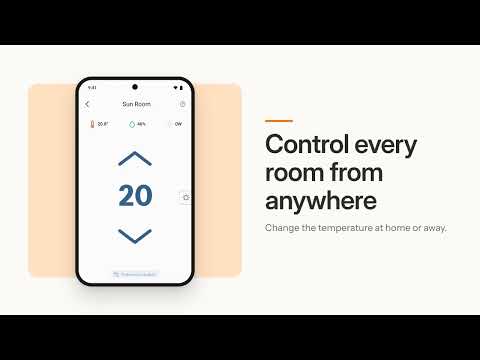
CONTROL EVERY ROOM FROM ANYWHERE
Change the temperature at home or away. Group rooms together, switch between Home, Away and Vacation, and share access with everyone in your home.
SET SCHEDULES THAT FIT YOUR DAY
Plan each day, room by room, in under a minute. Geofencing knows when everyone has left, so you're not heating or cooling an empty home.
SEE YOUR ENERGY USE BY ROOM
Track kWh and cost in every room to find ways to lower your electricity bill. See runtime history for your air conditioner, plus temperature and humidity for every room.
HELP WHENEVER YOU NEED IT
Support articles, install help, network diagnostics and our support team, all from the app.
WORKS WITH YOUR SMART HOME
Mysa works with your favourite smart home platforms and voice assistants.
COMPATIBILITY
- Mysa for Electric Baseboard Heaters: high-voltage baseboard, convector, fan-forced convector and radiant ceiling heaters.
- Mysa for Electric In-Floor Heating: most high-voltage electric in-floor systems and floor types.
- Mysa for Mini-Split & AC: most ductless mini-split heat pumps, plus window and portable air conditioners with a remote.
- Mysa for Central Heating & Cooling: most low-voltage (24 V) furnaces, central air conditioners and heat pumps.
All you need is a Wi-Fi connection.
Smart heating and cooling for every room. One free app for every Mysa.
Updated on
Safety starts with understanding how developers collect and share your data. Data privacy and security practices may vary based on your use, region, and age. The developer provided this information and may update it over time.


Ratings and reviews
1.13K reviews

Sujil S
- Flag inappropriate
- Show review history
November 7, 2026
Hi! When I adjust the time on the schedule it looks like it's offset by 1 hour. Just some suggestions to make the UI easier to understand. The icons are hard to decipher at a glance. Heat vs off - In the main view, heat is grey but off has saturation. I think most people would expect it to be the opposite. Also the power icon with the circle and line being used can be ambiguous for standby (even says so in the Wikipedia article for the power icon) I already sent a support request last year.

Marcus Ebert
- Flag inappropriate
November 8, 2026
Works great except for the current time change issue in BC, but support is working on it. Good communication with their support team. Two things however should be improved: - when thermostats are coupled into a zone, changing temperature manually on one thermostat should automatically change temperature on all in the zone (optional via zone setting in the app) - make the humidity available to Google home so it can be used for triggering routines; makes no sense to have to use another sensor
1 person found this review helpful

Mario Petrillo
- Flag inappropriate
November 10, 2026
huge thermostat upgrade for my electric baseboard heaters! I was worried about the utility costs with the old thermostat and have seen huge savings with the mysa. one purchase I'll never regret making. The app is great too. having the ability to set it to our schedule is a huge bonus!
What’s new
What's new:
• You can now view and edit your saved schedules.
• Peak events are now shown on your usage charts.
• Fixed some pairing issues and improved the Verifying Connection step.
• Fixed linking Alexa from the Mysa app.
• Added support for upcoming features and improvements.
• Updated the app's core libraries.
• General improvements and bug fixes.
Rated for 3+
Learn moreApp support
About the developer
Empowered Homes Incorporated
support@getmysa.com
5 Springdale Street Fortis Place, Suite 500
ST. JOHN'S, NL A1E 0E4
Canada
+1 709-330-2592


